Free Photo to PDF Converter App
for iPhone & Android
Turn multiple photos into one PDF for free. Arrange your images, scan paper documents, and create files that are ready to save or share—all on your phone.
Turn multiple photos into one PDF for free. Arrange your images, scan paper documents, and create files that are ready to save or share—all on your phone.
Free Photo Conversion
No Photo-Count Limit
Works Offline

Turn Photos into PDF in 3 Simple Steps
1. Select Your Photos
Choose one or multiple photos from your phone to include in your PDF.
2. Arrange Your Pages
Put your photos in the order you want them to appear in the document.
3. Convert, Save & Share
Create your PDF, save it to your phone, or share it through your preferred apps.



1. Select Your Photos
Choose one or multiple photos from your phone to include in your PDF.
2. Arrange Your Pages
Put your photos in the order you want them to appear in the document.
3. Convert, Save & Share
Create your PDF, save it to your phone, or share it through your preferred apps.
1. Select Your Photos
Choose one or multiple photos from your phone to include in your PDF.
2. Arrange Your Pages
Put your photos in the order you want them to appear in the document.
3. Convert, Save & Share
Create your PDF, save it to your phone, or share it through your preferred apps.
Turn Photos into PDF in 3 Simple Steps
Turn Photos into PDF in 3 Simple Steps
More Than a Photo to PDF Converter
Combine Multiple Photos into One PDF
Keep receipts, class notes, or other images together in a single document. Convert photos and JPG images without a photo-count limit, so related pages are easier to store and send.

Combine Multiple Photos into One PDF
Keep receipts, class notes, or other images together in a single document. Convert photos and JPG images without a photo-count limit, so related pages are easier to store and send.
Combine Multiple Photos into One PDF
Keep receipts, class notes, or other images together in a single document. Convert photos and JPG images without a photo-count limit, so related pages are easier to store and send.
Scan Documents with Your Camera
Capture receipts, contracts, forms, and other paperwork with your phone’s camera. Crop out unwanted backgrounds, adjust the orientation, and apply a black-and-white scan effect for a cleaner document look.

Scan Documents with Your Camera
Capture receipts, contracts, forms, and other paperwork with your phone’s camera. Crop out unwanted backgrounds, adjust the orientation, and apply a black-and-white scan effect for a cleaner document look.
Scan Documents with Your Camera
Capture receipts, contracts, forms, and other paperwork with your phone’s camera. Crop out unwanted backgrounds, adjust the orientation, and apply a black-and-white scan effect for a cleaner document look.
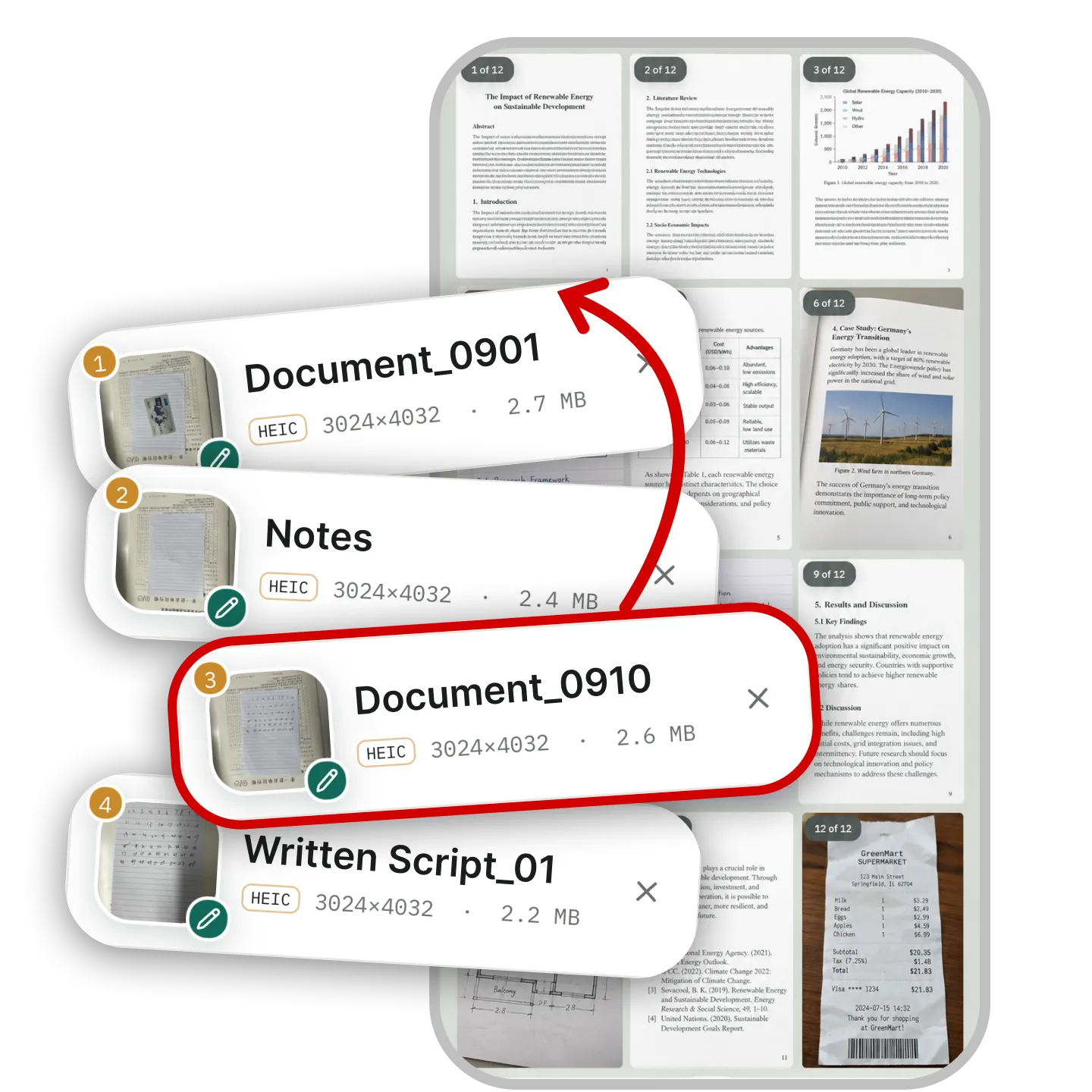
Merge & Organize PDF Files
Combine separate PDFs into one document. Arrange files in order, or use Advanced Merge to reorder individual pages, alternate pages between documents, and add page numbers or dividers.
Merge & Organize PDF Files
Combine separate PDFs into one document. Arrange files in order, or use Advanced Merge to reorder individual pages, alternate pages between documents, and add page numbers or dividers.
Merge & Organize PDF Files
Combine separate PDFs into one document. Arrange files in order, or use Advanced Merge to reorder individual pages, alternate pages between documents, and add page numbers or dividers.
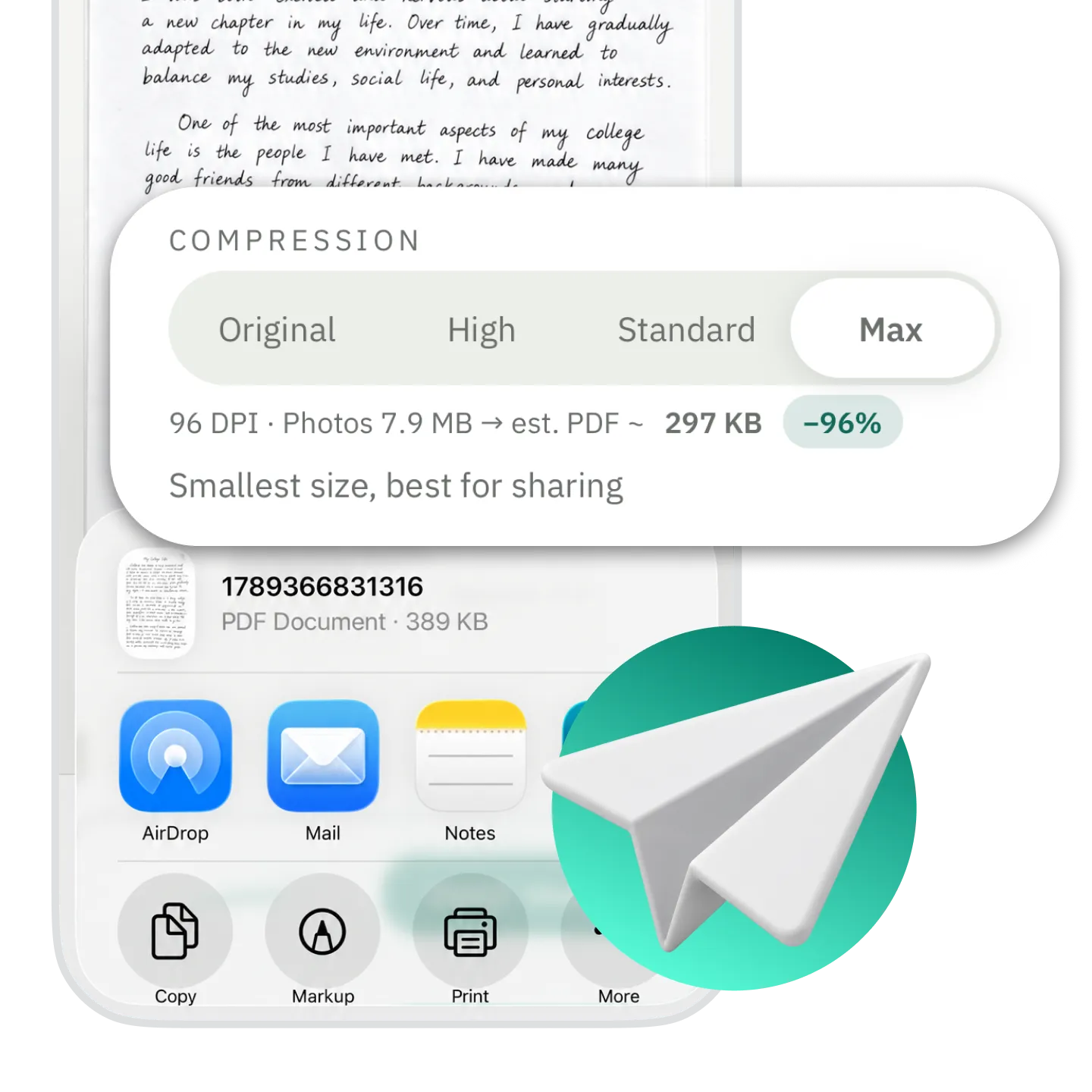
Create Smaller PDFs for Easy Sharing
Choose a compression setting when converting photos to PDF. Check the estimated file size before generating your document, and balance image quality with file size for easier sharing and storage.
Create Smaller PDFs for Easy Sharing
Choose a compression setting when converting photos to PDF. Check the estimated file size before generating your document, and balance image quality with file size for easier sharing and storage.
Create Smaller PDFs for Easy Sharing
Choose a compression setting when converting photos to PDF. Check the estimated file size before generating your document, and balance image quality with file size for easier sharing and storage.
Convert Photos to PDF Offline—No Uploads Needed
Conversion takes place on your phone, without sending your photos to a server for processing. Create and save PDFs offline. Sending them through email or online messaging services requires an internet connection.
Frequently asked questions
Frequently asked questions
Frequently asked questions
Which devices are supported?
Which image formats can I convert to PDF?
Can I use photos already on my phone, or do I need to scan them?
Is the app free?
How do I cancel automatic subscription renewal?
Which devices are supported?
Which image formats can I convert to PDF?
Can I use photos already on my phone, or do I need to scan them?
Is the app free?
How do I cancel automatic subscription renewal?


